This article is general guidance, not legal advice.
A standing desk gives you another way to set up your workday, but it does not mean you need to stand all day. Begin with a comfortable setup, change posture regularly and adjust the desk to suit the task and how your body feels.
Key Takeaways
- Use a standing desk to vary your working position, not as a reason to stay standing for long periods.
- Adjust the desk, chair, screen and keyboard to suit the person using them.
- Make small changes at a pace that feels comfortable for you.
- Keep cables, floor space and nearby items in mind when raising or lowering the desk.
- Review how the setup feels during real work and ask for help if discomfort continues.
The 2-minute version
- Set your seated position: start with the chair, screen, keyboard and mouse arranged comfortably.
- Adjust the desk: raise or lower it so your arms and equipment feel suitably positioned.
- Change posture: move between sitting, standing and other comfortable positions through the day.
- Clear the area: check cables, chair position and objects before moving the desk.
- Notice how it feels: make small adjustments and seek workplace support if discomfort persists.
How should you start using a standing desk?
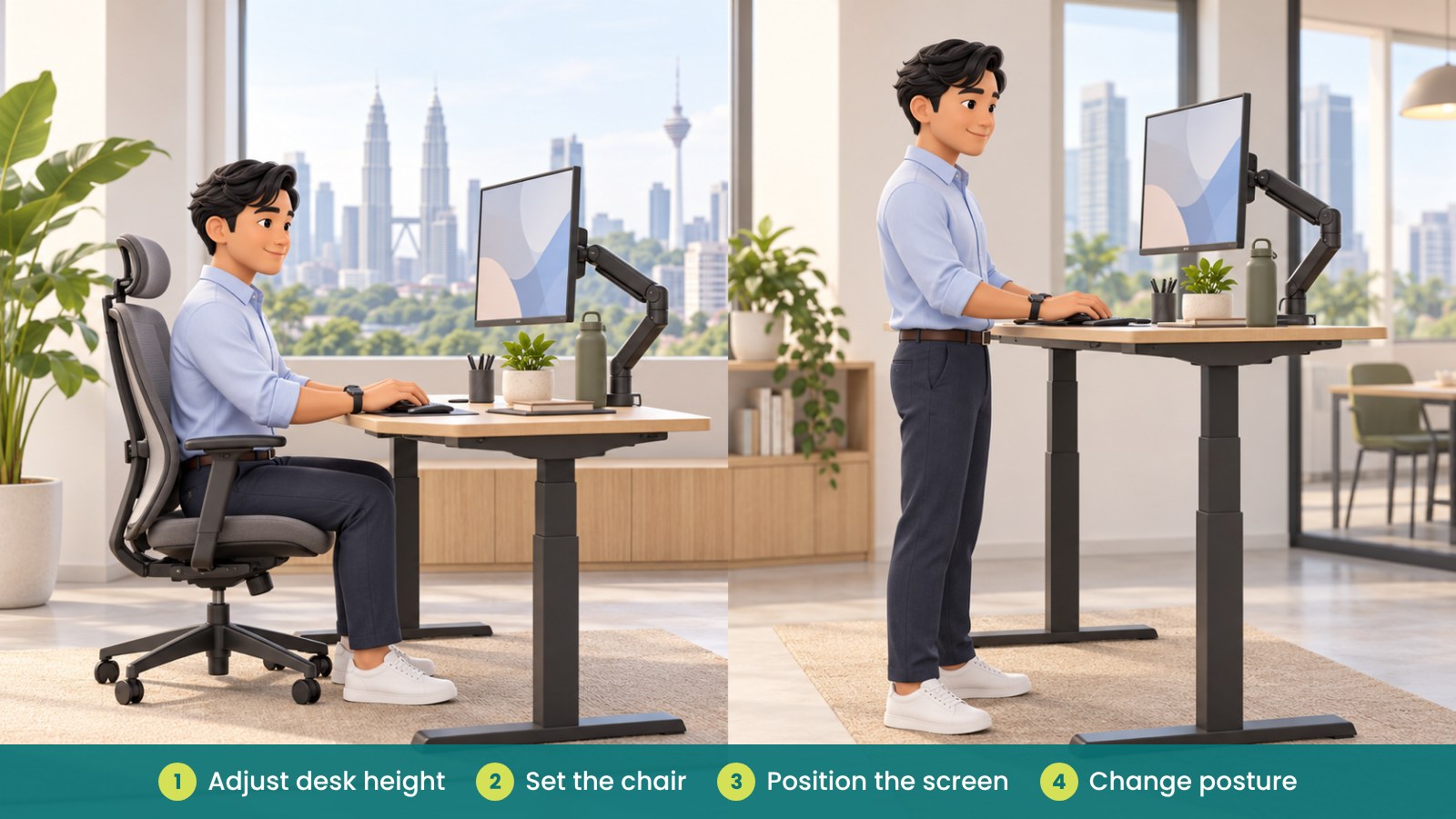
Start by setting up the workstation for the task you are doing. Arrange the chair, desk, screen, keyboard and mouse so they feel comfortable and easy to use. Then try changing the desk height and posture during the day, rather than making a sudden, demanding change to your routine.
There is no single sit-and-stand schedule that suits everyone. Your work, comfort, habits and preferences can differ from another person’s. Treat posture changes as a flexible option, and adjust as you learn what works for you.
How do you set the desk for sitting and standing?
When sitting, adjust the chair and desk so you can work with your shoulders relaxed and your arms in a comfortable position. Place the screen where you can see it without leaning forward, and keep the keyboard and mouse easy to reach.
When standing, adjust the desk height to suit your body and the task. Keep the screen and input devices in positions that feel comfortable, and avoid reaching far across the desk. If several people share the desk, make sure each user knows how to adjust it.
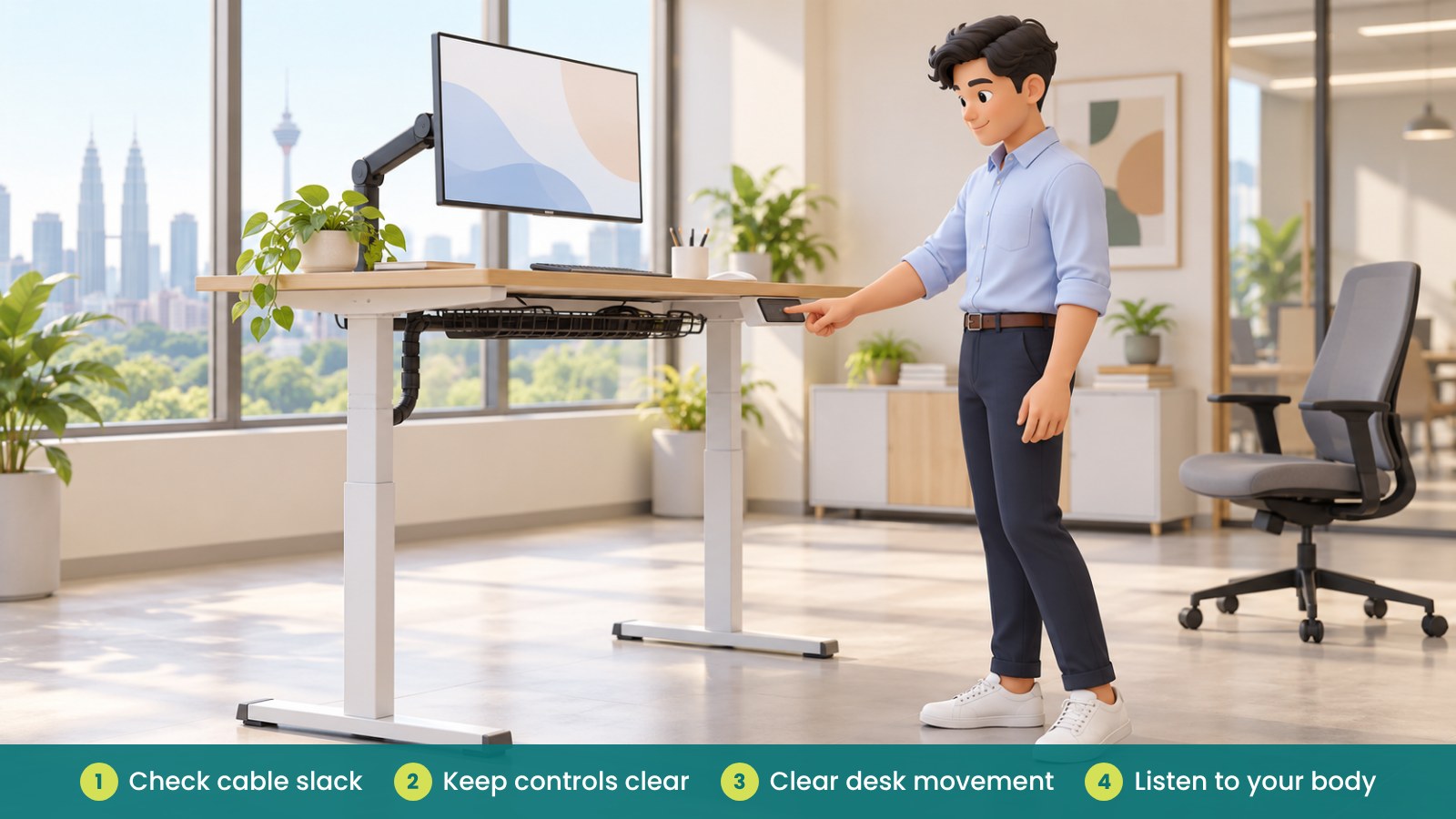
Check that the desk can move without catching cables, hitting nearby furniture or disturbing items on the surface. Leave enough cable slack and keep the floor area around the desk clear.
| Setup area |
What to check |
Simple adjustment |
| Desk height |
Can you use the keyboard and mouse comfortably? |
Adjust the desk height for your current position. |
| Chair |
Can you sit with support and reach the work surface? |
Adjust the chair rather than stretching to the desk. |
| Screen |
Can you view the screen without leaning or turning awkwardly? |
Reposition the screen or use a suitable monitor arm. |
| Keyboard and mouse |
Are they close enough for relaxed reach? |
Bring them nearer and clear unnecessary items. |
| Cables and nearby items |
Can the desk move without snagging or knocking things? |
Check cable slack and clear the movement area. |
How often should you change position?
There is no fixed ratio that everyone needs to follow. Some people prefer shorter changes more often, while others may need to find a different rhythm. Try small adjustments and pay attention to how you feel during the workday.
Changing posture can include sitting, standing briefly, shifting your stance or taking a short walk when your work allows. A standing desk is one option for varying position; it is not a requirement to remain standing or a substitute for other movement.
If standing feels uncomfortable, lower the desk or sit down. If you notice discomfort that continues or affects your work, talk to your manager or the appropriate workplace support person about reviewing your setup.
What should you consider before using the desk?
Check the desk controls and understand how to raise and lower it safely. Keep hands, chair arms and other objects away from moving parts while adjusting the desk. Follow the product instructions, especially if the desk has a memory function or anti-collision feature.
Consider footwear and the floor surface if you plan to stand. Make sure there is enough room to change position and that nearby drawers, cabinets or desk accessories will not obstruct movement.
For a short overview of workplace safety context in Malaysia, see OSHA for Offices in Malaysia. This article offers general setup suggestions; individual needs may differ.
How can managers support employees using standing desks?
Give staff time to adjust the workstation and show them how the controls work. If desks are shared, agree how users can reset the height and leave the setup ready for the next person.
Ask employees whether the desk, chair, screen and accessories work together for their tasks. A standing desk may need a monitor arm, cable management or a different chair arrangement, depending on the user and the workstation.
Make it clear that employees can choose a comfortable position. Avoid turning use of the standing desk into a target or competition. The aim is to give people a practical option and help them make adjustments that suit their work.
| Manager check |
What to ask |
Possible support |
| Setup knowledge |
Does the employee know how to adjust the desk? |
Provide a short demonstration or setup guide. |
| Shared use |
Can each user reset the workstation easily? |
Agree a simple reset or handover routine. |
| Equipment fit |
Do screen, keyboard and chair suit both positions? |
Review monitor support and accessory placement. |
| Space and cables |
Is the desk movement area clear? |
Organise cables and nearby furniture. |
| Employee feedback |
What feels comfortable or inconvenient during work? |
Make practical adjustments and review again. |
Fictional example: a Penang admin team tries standing desks
A fictional Penang office introduces standing desks for several admin staff. Instead of asking everyone to use them in the same way, the manager shows employees how to adjust desk height, check cables and position their screens.
Staff try changing posture during tasks when it feels comfortable. One employee asks for the monitor to be repositioned, while another prefers to sit for longer periods. The manager reviews the equipment and setup with each person rather than setting a fixed schedule for everyone.
What common mistakes should you avoid?
- Standing all day because the desk can: use it to vary position and sit whenever that feels better.
- Following a rigid sit-and-stand ratio: find a flexible routine that suits your work and comfort.
- Changing desk height without checking the rest: review the chair, screen, keyboard and mouse together.
- Letting cables catch during adjustment: check cable slack and keep the floor area clear.
- Assuming every user needs the same setup: allow people to make suitable individual adjustments.
- Ignoring persistent discomfort: review the workstation and seek appropriate workplace support.
How can iGreen help with standing desk setup?
iGreen can help assess a workstation, plan desk and chair arrangements and review monitor support and cable management. The team can also supply height-adjustable desks, ergonomic chairs and related furniture, with delivery and installation in Kuala Lumpur and Penang. A site assessment can help you check how the setup fits the office and the people using it.
Request a site assessment from iGreen (KL and Penang).
Frequently asked questions
Do I need to stand for a set amount of time?
No single schedule suits everyone. Try changing position in a way that feels comfortable and fits your work, and avoid treating standing as a requirement.
Can I use a standing desk while sitting?
Yes. Adjust the desk and chair for a comfortable seated position. The desk gives you the option to change height when you want to work in a different position.
What should I adjust first?
Start with your chair and desk, then check the screen, keyboard and mouse together. Small changes can help you find a workable setup for the task.
What should I do if standing feels uncomfortable?
Lower the desk or sit down and adjust the setup. If discomfort continues or affects your work, raise it with your manager or appropriate workplace support person.