This article is general guidance, not legal advice.
An engineering and design office needs enough room for screens, drawings, samples and focused work. Plan desks, storage and shared review areas around how your team uses its tools, so people can work together without crowding the work surface or blocking movement.
Key Takeaways
- List the software, screens, drawings and reference materials each team uses.
- Choose desks with enough usable surface for the actual work, not only the computer.
- Plan screen positions and cable routes before fixing workstation locations.
- Separate shared review and sample areas from everyday individual work.
- Use adaptable storage and furniture to make room for future projects or team changes.
The 2-minute version
- Map the work: note who uses multiple screens, drawings, samples or shared equipment.
- Measure the space: mark workstations, doors, windows, power points and circulation paths.
- Plan surfaces: allow room for screens, input devices, documents and project materials.
- Organise storage: place active files and samples nearby, with less-used items stored separately.
- Review with users: check the layout with the people who will use it every day.
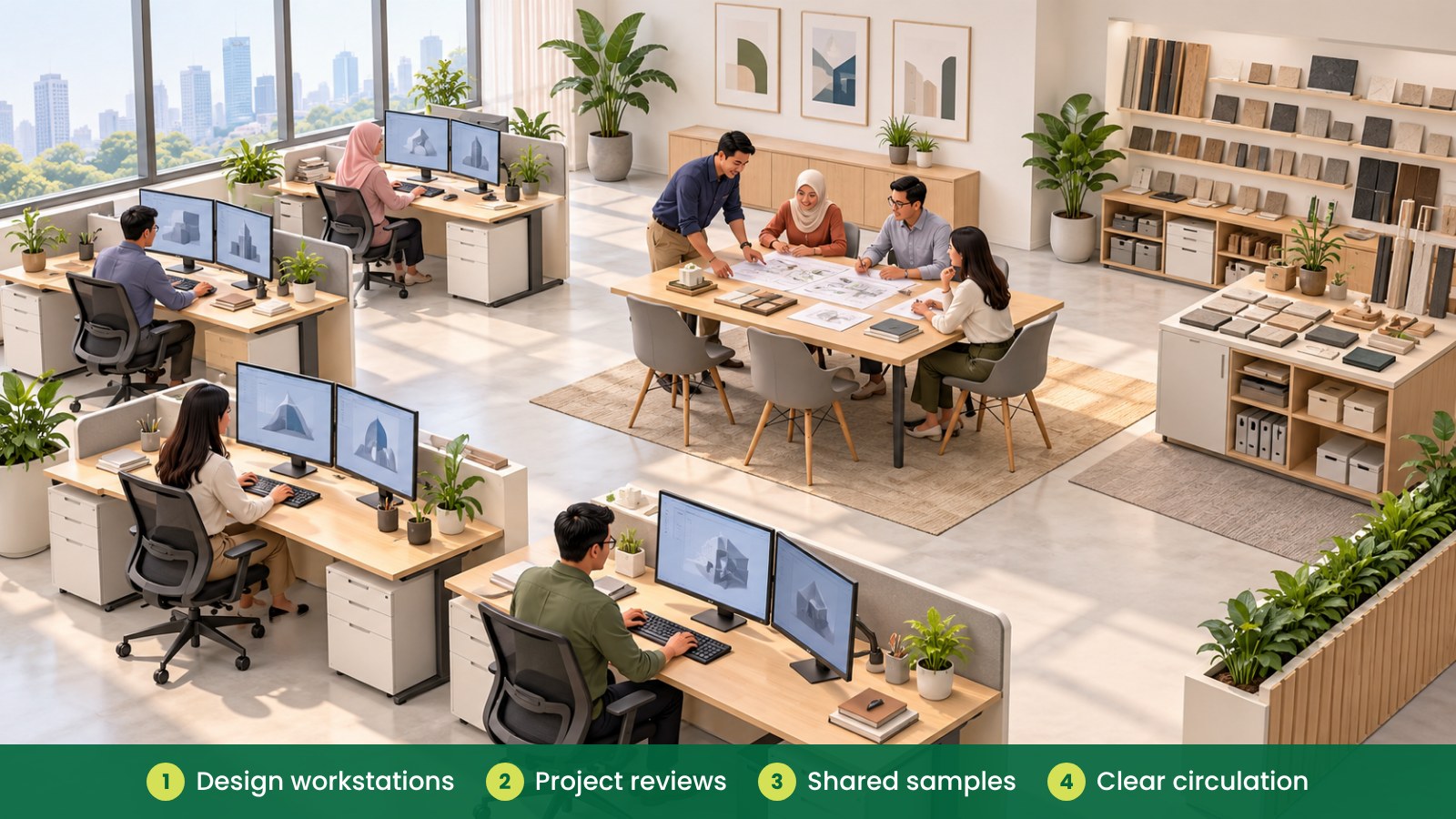
What should an engineering and design office include?
Teams may need to work with detailed digital drawings, specifications, samples or project documents. A standard desk arrangement may not suit every task, so begin by finding out what each person uses and how they move between individual work and team review.
Think about where people need quiet focus, where they compare plans or samples, and where project discussions happen. A separate review table or shared materials area can help keep individual workstations clearer.
How much desk space do design tasks need?
Start with the items people use at the same time. This may include one or more screens, a keyboard, mouse, drawing tablet, notebook or reference documents. If staff regularly review physical plans or samples, consider whether they need a shared work surface in addition to their individual desk.
Before choosing a desk size, test the proposed equipment arrangement with the people who will use it. A screen can take up more space than expected, and a desk that looks adequate on a plan may feel crowded once cables, documents and daily tools are added.
Keep the frequently used items within easy reach and leave space for the task itself. Avoid letting storage, sample boxes or spare equipment gradually take over the main work surface.
| Work area |
What happens there |
Furniture and planning to consider |
| Individual design workstation |
Digital design, drawings and project documentation |
Work desk, adjustable chair, screen support, cable management |
| Project review area |
Team discussions and drawing reviews |
Meeting table, comfortable chairs, writable surface |
| Sample and reference area |
Compare materials, parts or physical references |
Shared worktable, labelled shelves, sample storage |
| Document storage |
Keep active and archived project information organised |
Filing cabinets, shelves, lockable storage where appropriate |
| Shared equipment point |
Use printers, scanners or common tools |
Stable work surface, nearby supplies, clear access |
How should you position screens?
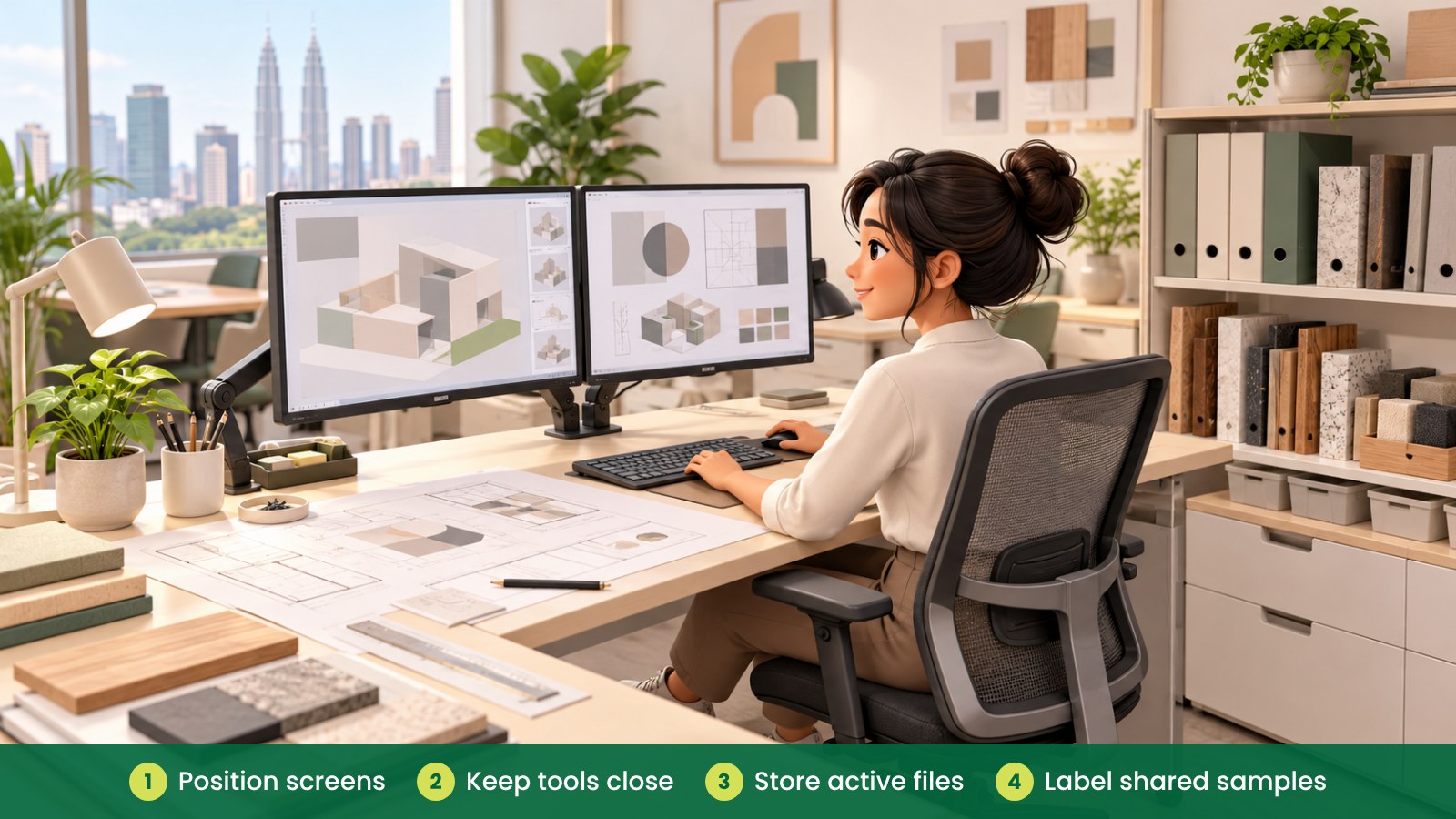
Plan screen positions around the main task and the user’s desk. Users should be able to face their primary screen without awkwardly twisting, and there should be enough room for the keyboard and mouse. Where people use multiple screens, mock up the arrangement before ordering monitor arms or finalising the desk layout.
Consider glare from windows and lights when placing workstations. A floor plan can help identify likely positions, but it is useful to check the actual room at different times of day if glare is a recurring concern.
Monitor arms may help free desk surface and allow screen adjustment, depending on the equipment and desk. Check compatibility, mounting space and cable length with the supplier before selecting them.
How can storage keep projects organised?
Engineering and design teams may have a mix of current drawings, reference documents, samples and equipment. Sort these items by how often they are used. Keep active materials close to the team and place archives or occasional references in shared storage.
Label shelves or cabinets by project, category or team where that makes retrieval easier. Avoid stacking items on top of cabinets or leaving boxes in walkways. If samples are heavy, bulky or frequently handled, decide where they should be stored before assigning desk locations.
| Storage type |
Useful for |
Check before selecting |
| Personal drawers |
Daily stationery and individual items |
Desk clearance and ease of access |
| Shared cabinets |
Project files and team materials |
Who needs access and how items will be labelled |
| Open shelving |
Frequently used references and samples |
Placement, stability and clear walkways |
| Sample storage |
Physical components, materials or mock-ups |
Item size, weight and handling frequency |
| Archive storage |
Older records or less-used project items |
How often items are retrieved and who manages them |
How do you plan for changing project needs?
Project teams can grow, share equipment or change how they work. Consider desks and storage that can be rearranged if the team expands or takes on different work. Keep some flexibility in the floor plan rather than filling every available area from the start.
Before buying, check the route for delivering and installing large desks, tables or cabinets. Measure doors, lifts and corridors, and confirm any building-management requirements for access and installation. Coordinate workstation positions with available power and network connections.
For a short overview of workplace safety context in Malaysia, see OSHA for Offices in Malaysia. This article focuses on practical furniture and layout planning; discuss workplace-specific concerns with the appropriate internal team.
Fictional example: a Penang product design team
A fictional Penang engineering team is adding staff and bringing sample reviews into its office. The manager first lists which employees use two screens, which projects require physical samples and how often the team meets to compare drawings.
The team keeps individual design workstations together, adds a shared review table and places labelled sample storage nearby. Before ordering, staff test the screen arrangement and check that a large sample cabinet will fit through the delivery route.
What common mistakes should you avoid?
- Using a generic desk size for every task: check what screens, documents and tools users need at the same time.
- Leaving screen placement until installation: plan screen positions and cable routes with the layout.
- Storing samples wherever there is spare space: decide on a suitable shared storage area first.
- Mixing project discussions into focused work areas: provide a place for reviews and team conversations.
- Buying storage without sorting materials: estimate what needs to be kept, where it belongs and who uses it.
- Forgetting delivery access: check lifts, doors, corridors and installation arrangements in advance.
How can iGreen help plan an engineering office?
iGreen can help assess your site, plan workstation and storage layouts, and select office furniture such as ergonomic chairs, desks and cabinets. A site assessment can help your team review measurements, circulation, quantities and delivery considerations before finalising a plan. iGreen supports projects in Kuala Lumpur and Penang, including delivery and installation.
Request a site assessment from iGreen (KL and Penang).
Frequently asked questions
Should every design workstation have the same desk size?
Not necessarily. Compare the tasks and equipment used by each team. A consistent base layout can be practical, while some roles may need extra surface space or shared review areas.
Are monitor arms useful for engineering teams?
They may help with screen positioning or free desk surface, depending on the screens, desk and user. Check compatibility and the preferred screen arrangement before selecting them.
Where should physical samples be stored?
Choose a shared area that suits the size, weight and frequency of use of the samples. Label storage clearly and keep materials out of walkways and off individual desks when they are not needed.
When should the team review the layout?
Review it before furniture is ordered and again after the team has used the space. Changes in staff, equipment or project workflow may mean some areas need adjustment.